
A Simple Story That Explains Local SEO
Table of Contents
Imagine a small computer training institute in a town like Joginder Nagar or Mandi. The institute has good teachers, practical courses, and reasonable fees. Yet many students in the area do not know about it. The owner prints pamphlets, puts up banners, and tells friends to recommend the institute.
However, something interesting happens. Most students today do not ask neighbours for suggestions. Instead, they open their phone and search “computer institute near me” or “best computer course near me.”
Within seconds, Google shows a map with three institutes, their ratings, photos, and contact numbers. Students simply tap the phone icon and call the institute they like.
The question is simple.
How did those institutes appear on Google?
The answer is Google Business Profile.
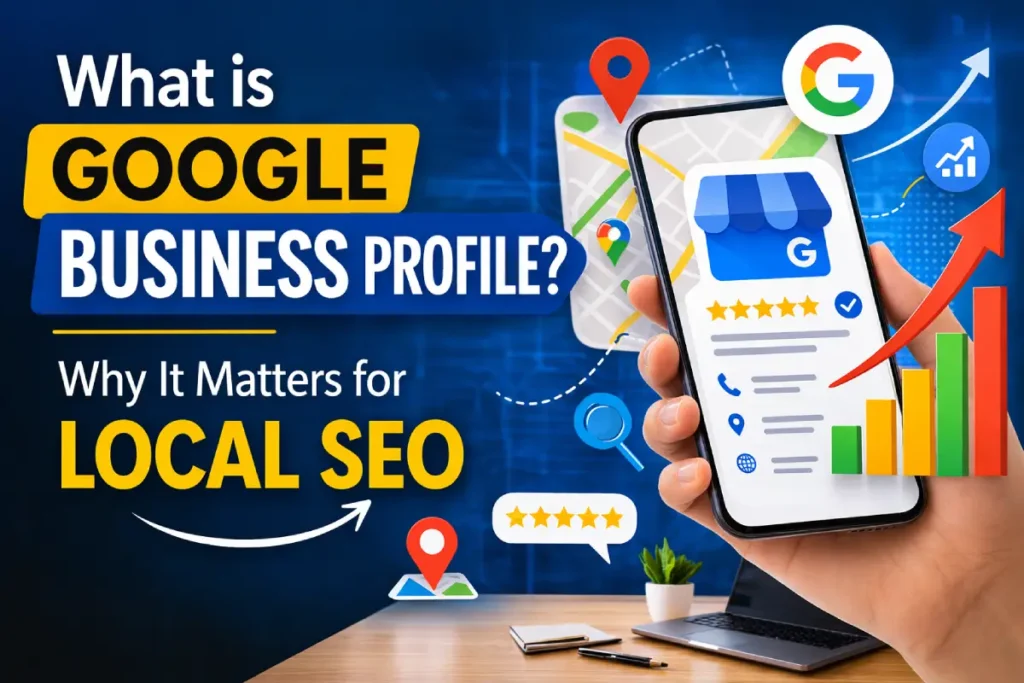
This free tool allows businesses to appear in Google Search and Google Maps whenever someone searches for nearby services. In today’s digital world, it acts like a digital shop board visible to thousands of online visitors every day.
Local businesses that want to appear in Google Maps should first understand the basics of local SEO for beginners, where the complete process of location based search ranking is explained.
Businesses that want stronger visibility should also explore advanced local SEO techniques that help improve rankings in Google Maps results.
Understanding Google Business Profile in Simple Words
Google Business Profile is a platform that allows businesses to display their information on Google. When someone searches for a service in a particular area, Google uses this information to show nearby businesses.
The profile usually displays important details like location, reviews, contact information, and photos.
| Profile Element | What Customers See |
| Business Name | Name of shop, office, or institute |
| Address | Exact location on Google Maps |
| Phone Number | Direct call option |
| Photos | Images of business place or services |
| Reviews | Customer feedback and ratings |
| Business Hours | Opening and closing time |
| Website Link | Direct access to business website |
This information helps customers quickly decide whether they want to visit or contact the business.
Why Google Business Profile Is Important for Local SEO
Local SEO focuses on improving visibility for searches related to a specific area. Google Business Profile plays a central role in this process.
Appears in “Near Me” Searches
In India, millions of searches include phrases like:
- computer training institute near me
- bakery near me
- digital marketing services near me
- mobile repair shop near me
Google uses location signals to show nearby businesses that match the search.
While local listings attract customers, a website still needs technical SEO fundamentals to perform well in organic search results.
Builds Instant Trust Through Reviews
Indian customers rely heavily on online reviews before making decisions.
Imagine two coaching institutes appearing in search results.
| Institute | Rating | Reviews |
| Institute A | 4.6 | 120 reviews |
| Institute B | 3.9 | 18 reviews |
Most students will naturally choose Institute A.
This shows how reviews influence customer decisions.
Makes Customer Communication Easy
Google Business Profile provides multiple ways for customers to interact with businesses.
Customers can:
- call the business directly
- get directions through Google Maps
- visit the website
- check business hours
- read customer reviews
All these features reduce the effort required to contact the business.
Brings More Local Customers
When your profile appears in search results, customers in nearby areas can easily discover your business.
For example, someone searching “best bakery near me” in Noida may find a small local bakery that they had never heard about before.
This increases visibility and customer traffic.
How Google Displays Local Businesses in Search Results
When someone searches for a local service, Google displays results in three main sections.
| Result Type | Description |
| Local Pack | Top three businesses shown with map |
| Google Maps Results | Extended list of businesses |
| Organic Search Results | Normal website listings |
The Local Pack receives the highest number of clicks because it appears at the top of the page. Businesses with properly optimized profiles have a higher chance of appearing in these results. SEO professionals often use Google search operators for SEO research to discover competitor listings and analyze search results.
Google Business Profile vs Website vs Social Media
Many small business owners ask whether they need a website if they already have social media. Businesses can further improve their search visibility by implementing off page SEO strategies such as backlinks and citations.
The truth is that all three platforms serve different purposes.
| Feature | Google Business Profile | Website | Social Media |
| Appears in Google Maps | Yes | No | No |
| Supports near me searches | Strong | Medium | Weak |
| Shows customer reviews | Yes | Limited | Yes |
| Direct call button | Yes | No | Limited |
| Cost | Free | Hosting required | Free |
This comparison clearly shows why Google Business Profile is extremely powerful for local search visibility.
Step-by-Step Guide to Creating a Google Business Profile
Creating a business profile is simple and usually takes only a few minutes.
Step 1 – Sign in with a Google Account
Use your Gmail account to access the Google Business Profile platform.
Step 2 – Enter Your Business Name
Write the official name of your business exactly as customers know it.
Step 3 – Choose the Correct Business Category
This step helps Google understand your services.
Examples:
- Computer Training Institute
- Digital Marketing Agency
- Medical Clinic
- Bakery Shop
Step 4 – Add Location Details
If customers visit your shop or office, add the physical address.
Service businesses can choose a service area.
Step 5 – Verify Your Business
Google may ask for verification through video verification or other methods.
Step 6 – Add Photos and Business Details
Upload images of your workplace, products, and services.
Profiles with photos usually attract more customer attention.
Practical Example from an Indian Small Business
Let us look at a practical example.
A computer training institute in Ghaziabad creates a Google Business Profile. The owner uploads classroom photos, adds course details, and requests students to leave reviews.
Within a few months, the profile receives 80 positive reviews.
Now when students search “computer course near me”, the institute appears in the Google Maps results.
As a result:
- more students call the institute
- website visits increase
- offline enquiries increase
This is how Google Business Profile helps small businesses grow.
Important Optimization Tips for Better Local Ranking
Creating a profile is only the beginning. Optimization helps businesses appear higher in local search results.
Maintain Accurate Business Information
Your Name, Address, and Phone Number (NAP) should remain consistent across all online platforms.
Upload High Quality Photos
Photos create trust and attract attention.
Consider uploading images of:
- shop exterior
- interior environment
- products or services
- team members
Encourage Customer Reviews
Happy customers are usually willing to leave reviews if you politely ask them.
Respond to Reviews
Responding to reviews shows that the business values customer feedback.
Post Regular Updates
Google Business Profile allows businesses to share updates, offers, and announcements.
Active profiles often perform better in search results.
Common Mistakes Businesses Should Avoid
Many businesses create profiles but ignore maintenance.
Common mistakes include:
- incomplete business details
- outdated phone numbers or addresses
- no photos
- ignoring customer reviews
- duplicate business listings
Avoiding these mistakes improves credibility and ranking.
People Also Search For
When users search for Google Business Profile, they often explore related topics.
Common related searches include:
- local SEO services
- Google Maps marketing
- online reputation management
- SEO for small businesses
- Google Maps ranking tips
Including these topics in your SEO strategy improves overall visibility.
The Future of Local Search in India
The importance of local search is growing rapidly due to smartphone usage and affordable internet access.
Voice Search is Increasing
People increasingly use voice commands like:
“Find a bakery near me.”
Voice searches are expected to grow significantly in India.
AI Powered Search Results
Search engines are becoming smarter. Google now analyzes reviews, engagement, and business activity.
Businesses that keep their profiles active and updated will perform better.
Mobile First Local Discovery
Most local searches happen on smartphones. Customers want quick information such as phone numbers, directions, and reviews.
Google Business Profile provides all these details instantly.
Practical Checklist for Business Owners
| Task | Importance |
| Verify business profile | Very important |
| Add accurate contact details | Very important |
| Upload quality photos | Important |
| Collect genuine reviews | Very important |
| Respond to customer feedback | Important |
| Post regular updates | Helpful |
Completing these steps improves visibility and credibility.
Conclusion
Google Business Profile has transformed the way customers discover local businesses in India. Instead of relying on word-of-mouth recommendations, people now search online for services and products.
A properly optimized profile allows businesses to appear in Google Maps, local search results, and “near me” searches. This visibility increases trust, customer enquiries, and overall business growth.
For small businesses, this tool provides a powerful opportunity to compete with larger companies without spending money on advertising.
Businesses that actively maintain their profiles, collect genuine reviews, and update information regularly will continue to benefit from local search growth in the coming years.
In a world where almost every customer starts their search on Google, having a well-managed Google Business Profile is no longer optional. It is an essential step for building a strong online presence and attracting local customers.
Author Bio
Sanjiv Kumar is a digital marketing trainer, blogger, and entrepreneur with a passion for teaching practical online growth strategies. Through his platform DigitalSanjiv.com, he shares simple and actionable insights on SEO, local search optimization, and digital marketing to help small businesses and beginners build a strong online presence. His goal is to make digital marketing easy to understand and useful for real-world success.
Frequently Asked Questions
Is Google Business Profile free?
Yes. Creating and managing a profile is completely free.
Yes. Many small businesses appear in local search results without websites. However, having a website improves credibility.
There is no fixed number. However, businesses with consistent positive reviews usually perform better.
Verification can take from a few minutes to several days depending on the verification method.
Yes. Service-based businesses can hide their address and define a service area instead.